

What Should an Access Review Be Able to Prove?

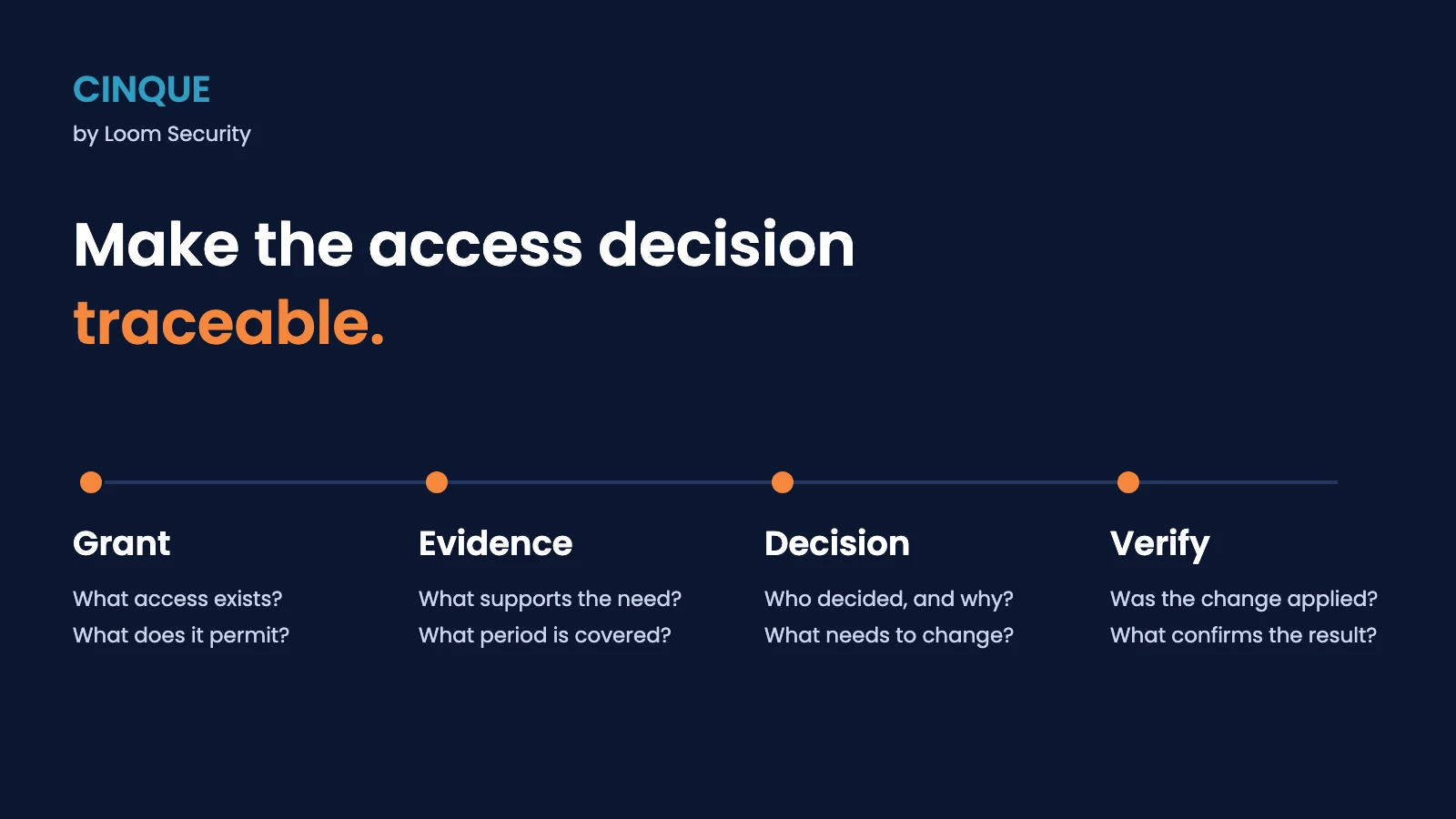
Your access review should let someone reconstruct the decision: what was reviewed, what the reviewer knew, why access stayed or changed, and what happened afterward. Keeping those records together gives the next reviewer a decision trail they can follow.
A finished campaign can feel like a useful stopping point. The reminders are over, the responses are in, and the report has been saved. Then someone asks why a particular person kept access to a finance application. The approval is easy to find. The reasoning takes longer.
That gap is worth addressing before the next review begins. Start with a single access decision and work outward from the evidence it needs.
What exactly did the reviewer approve?
Start with the permission itself. Record the identity, application or resource, access level, and the route through which access was granted. Include the date the information was captured.
A department name or an unfamiliar group label leaves too much for the reviewer to infer. Explain what the grant permits in terms the responsible business owner can evaluate. Reading invoices, approving payments and administering the application are different decisions.
Ask who can explain the business need and who can explain the technical permission. Those responsibilities may sit with different people. Make the handoff explicit when a manager needs an application owner's help.
Preserve the scope too. A review of one group says something about that group. Record exclusions and unresolved coverage gaps so a later reader can see the boundaries.
What evidence helps someone make the decision?
Bring the current business purpose alongside the available activity evidence. What work requires this access? Has the person's role changed? What activity does the relevant system show, and what time period does it cover?
Check what a recommendation measures before treating it as an answer. Microsoft's access-review recommendation documentation distinguishes tenant sign-in activity from activity in the application being reviewed. It also says that the sign-in date and recommendation are determined when the review starts and aren't updated during the review.
That distinction matters when a reviewer sees a recent sign-in. Signing into the tenant and using the particular permission under review answer different questions. Record the source and observation window beside the recommendation.
Missing activity also needs interpretation. An occasional responsibility may still require access. A gap in available logs leaves a different question from a documented period of inactivity. Give the reviewer a way to request clarification and record the answer.
These are practical reasons to pair access information with context. The Persona Risk and Activity Map views show how CINQUE presents behavioral context from connected tools. CINQUE sits above the existing stack, replaces no tools and performs no enforcement. The access decision remains with the responsible people and systems.
Can someone follow the reasoning later?
Consider an illustrative example. A finance manager reviews an employee's access to an invoice application. The employee still works in finance, so the manager approves it. Later, the application owner explains that the grant includes payment approval, while the employee's current work only requires invoice lookup.
The useful question is what the manager was shown at decision time. A clearer description of the permission would have supported a more specific conversation about the employee's work.
For retained access, capture the business reason and who confirmed it. For a change, capture the intended permission and the person responsible for carrying it out. Give exceptions an owner and a review date under your organization's policy.
Keep the original decision identifiable when new information arrives. A changed decision should explain what changed in the evidence. That makes the record useful to someone who wasn't part of the conversation.
Did the approved change actually happen?
Track the decision through to its result. Link the review item to the work record, the person or automation applying the change, and confirmation from the target system.
Microsoft's guidance on completing access reviews separates review results from applying them. It explains how denied access is removed when the results are applied, and identifies exceptions. For example, membership through a nested group can leave access in place. Check the result in the relevant source system.
A closed work item can be a useful reference. Add the system evidence that supports its completion, such as the relevant audit event or a permission export. Record a failed change as unfinished work with an owner.
Decide where this evidence will live before the campaign ends. Microsoft's review-history documentation describes downloadable reports containing per-user review details. Align exported records and supporting evidence with your organization's retention and access-control requirements.
How can you improve this without adding another campaign?
Try the process on a small sample from a completed review. Pick retained access, changed access and an exception. Ask a colleague who wasn't involved to follow each decision from the original grant to the outcome.
Notice where they need help. An unclear group name points to a permission-description problem. An unexplained approval points to missing business context. A removal with no system confirmation points to a follow-through problem.
Use those findings to improve the next review packet. Keep working links between records you already maintain. A compact record with useful context is a sensible starting point; expanding the spreadsheet alone won't explain the decision.
Frequently asked questions
Does a recent sign-in prove that access is still needed?
No. A sign-in is evidence of activity within a defined scope and period. The reviewer still needs to connect the specific permission to a current business purpose.
Does every access-review change need a separate ticket?
Use your organization's approved process. Keep a traceable link between each decision, the change applied and verification in the target system, whether your process uses individual work items or a controlled batch.
Can behavioral context replace the access review?
No. Behavioral context can inform the review. The responsible reviewer still needs to assess the business need, document the decision and ensure approved changes are followed through.
If gathering that context means searching several consoles, the Scattered Security Stack guide is a useful next step. It's a three-page guide with five questions to help examine the gaps between your tools. Complete the form to receive it.
Chuck Crawford
Founder and CEO, Loom Security
P.S. A few more places to go from here:
- Are you a VAR, MSSP, or advisory firm? See how the Fusion Partner Program works: loomsecurity.io/partners
- Want the two-page version? Read the CINQUE datasheet: Download the datasheet
- Want more on identity, correlation, and posture? Browse the Loom Security blog.